Update Your (app-)ads.txt File
Update your (app-)ads.txt file with all connected partner lines—whether for websites, apps, or both—to ensure transparency of your demand
Log in to our Adagio Platform
Connect to https://app.adagio.io.
Access the ads.txt lines
Retrieve the necessary ads.txt lines to optimize monetization using either of these 2 methods:
- Access the complete list of lines that must figure on all your websites/apps.
- Identifying missing lines for a specific website/app.
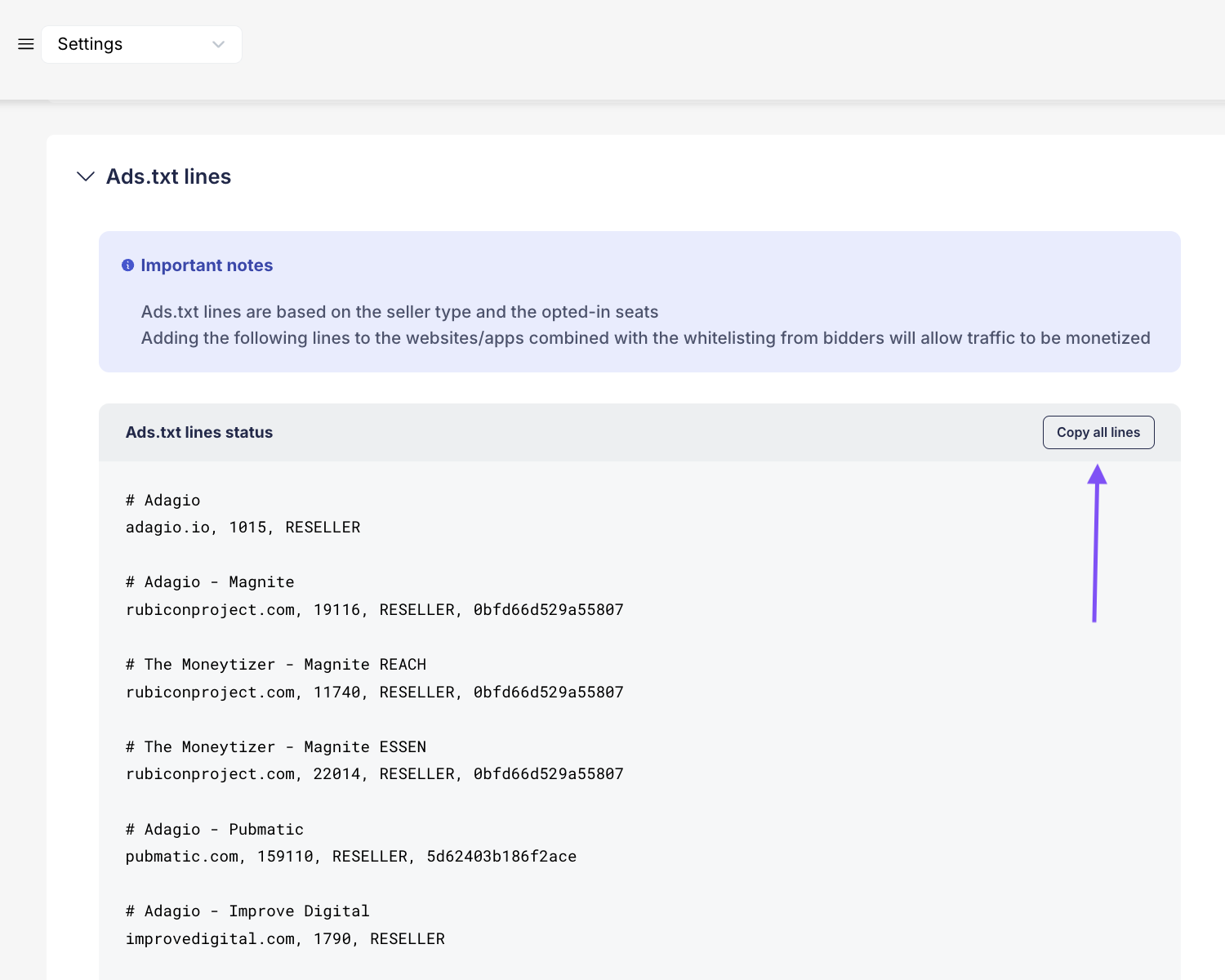
- In your left Menu, go to the Settings tab and hit the General sub-tab.
- Go to the Ads.txt lines section and hit Copy all lines
- Add these lines to your websites’ /apps’ ads.txt file.
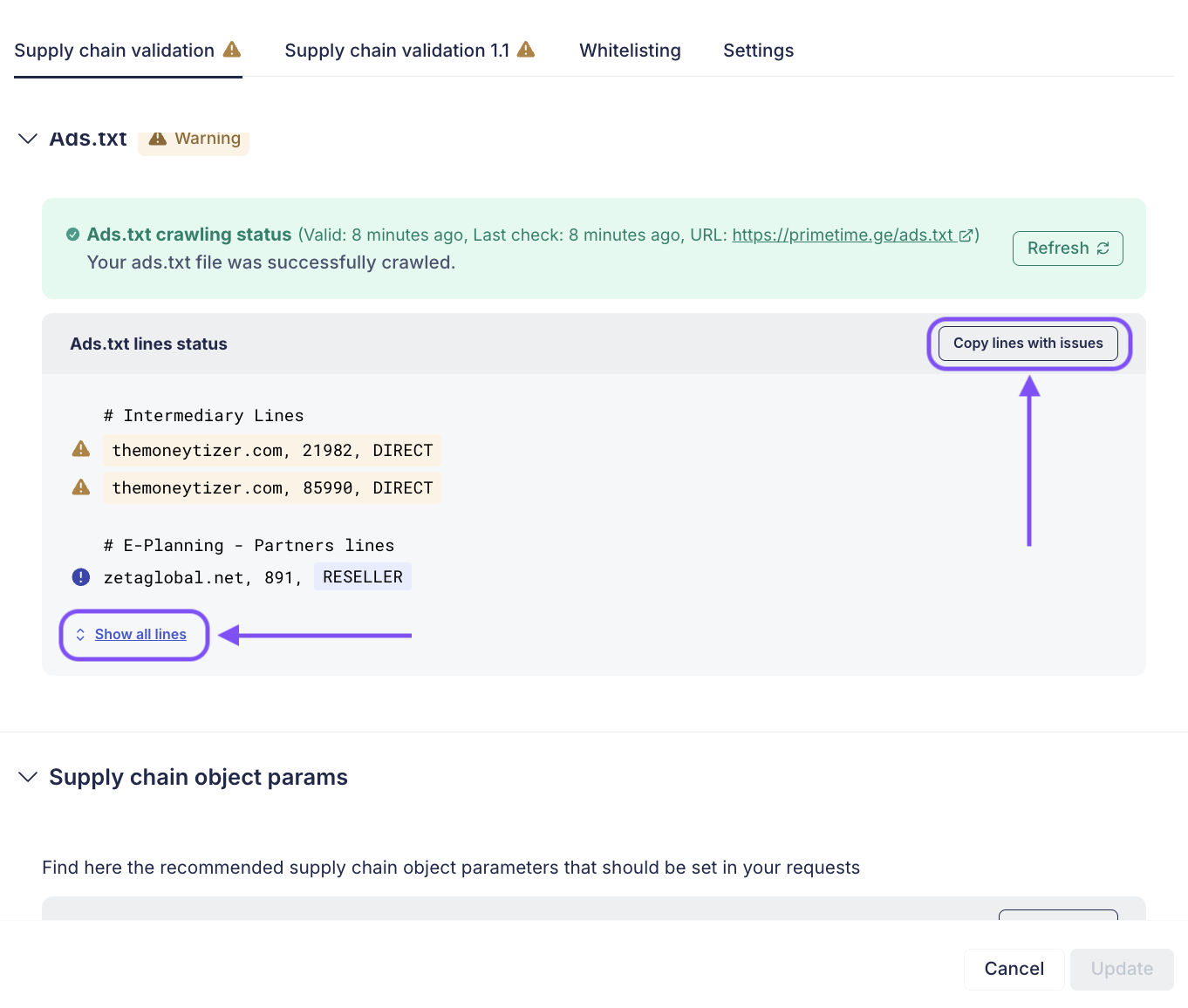
Spot the missing ads.txt lines for a specific website/app:
- In your left Menu, go to the Inventory tab and hit the Websites/Apps section.
- Select one website/app and check its right panel.
- In the Supply Chain validation section, scroll down and find the Ads.txt lines.
- Hit Copy lines with issues to add the missing ads.txt lines to your websites/apps or Hit Show all lines and click Copy all lines to add all the ads.txt lines to your website/app ads.txt file